
Contents
At a Glance
- Topic: Spectrum WiFi Connected But No Internet Fix It in 5 Minutes
- Intent: step-by-step learning or troubleshooting
- Verify: Use this as a practical starting point, then verify important details with current authoritative sources.
- Related entities: spectrum, wifi, connected, but, internet
Last updated: May 26, 2026
Best for: Best for readers who need a step-by-step explanation and practical troubleshooting checks.
Editorial note: This guide may use AI-assisted drafting, but it is organized and reviewed by the Bdtechsupport editorial workflow for clarity, search intent, and practical usefulness.
Spectrum WiFi Connected but No Internet? Here’s the Real-World Fix You Need Tonight

You’re curled up on the couch, popcorn in hand, ready to binge the new season. The TV loads, the logo flashes… and then the dreaded buffering circle appears. Your phone shows four bold white bars: “Spectrum WiFi – Connected.” Yet nothing opens. Instagram spins, Slack won’t sync, and Google might as well be a blank page.
If this feels like your life story, breathe. You’re not alone, and you’re about to get the friendliest, most actionable guide on the planet for the classic headache: spectrum wifi connected but no internet. Grab that half-eaten popcorn—by the end of this article, you’ll know exactly why it happens and how to fix it faster than you can say “modem reboot.”
Why Spectrum WiFi Says “Connected” but the Internet Disappears
First, let’s translate tech-speak into human. “Connected to WiFi” simply means your gadget is talking to the little plastic box in the corner (the router). “No internet” means that box isn’t talking to the outside world.
Think of WiFi like a driveway: you can walk on it, but if the road beyond is closed, you’re not driving anywhere. The disconnection can sit in three usual spots:
- Spectrum’s neighborhood line (outside your walls)
- The modem (the translator between outside cable and your router)
- Your own router or device settings (inside your walls)
Knowing which layer is broken saves you hours of random button-mashing. Let’s diagnose, then repair.
Quick-Fix Flowchart: What to Try in the Next 5 Minutes
Before we deep-dive, test the 90-second miracle:
- Unplug everything: Pull the black power cord on the modem (the one with the coaxial cable screw). Count to 30.
- Router too: While it’s dark, unplug the router too—if it’s a separate box.
- Modem first: Plug the modem back in; wait until the “Online” light goes solid blue or white.
- Then router: Now power up the router; give it two minutes.
- Test: Retry a website.

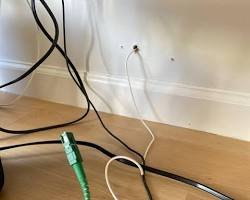
Still stuck? Move to step 2: grab an Ethernet cable, plug a laptop straight into the modem, and reboot the modem once more.
- If the laptop surfs fine, your router is the culprit.
- If the laptop still can’t load Google, the problem lives upstream—either the modem or Spectrum’s line.
Jot down which scenario matches you; we’ll circle back with tailored fixes below.
Is It Illegal to Pick Wildflowers in USA? The Truth Every Nature Lover
Hidden Causes Nobody Mentions (But Everybody Experiences)
1. Overnight Firmware Auto-Updates
Spectrum pushes updates to modems between 2–4 a.m. If the process hiccups, the modem can wake up half-dressed and forget how to route traffic. A reboot usually finishes the update.
2. Cable Line “Noise” from a Neighbor’s New Install
Technicians sometimes add splitters to the pole that degrade your signal. Your modem still locks on, so WiFi looks alive, but packets drop like crazy. Only a tech’s signal meter will spot it.
3. IP Address Traffic Jams
Routers lease IP addresses to devices. When the lease pool fills—common after holidays when everyone adds new phones—new requests get ignored, creating zombie connections that list as “connected” yet go nowhere.
4. Cloudy DNS, Clear Skies
Spectrum’s default Domain Name System servers occasionally stall. Your PC joins WiFi, receives an IP, but can’t translate “google.com” into numbers. Switching to Google DNS (8.8.8.8) or Cloudflare (1.1.1.1) often feels like magic.
5. Greedy Background Apps
iCloud, Steam, or Windows Update might be saturating your upload. With cable internet, uploads are tiny; when full, downloads stall. Users blame “no internet,” but it’s really a traffic jam.
Step-by-Step Home Detective Work
Roll up your sleeves—here’s how pros isolate the fault without fancy tools.
Check Spectrum’s outage map
Open cellular data on your phone, visit spectrum.net/outage, and enter your ZIP. If there’s a red blob over your street, save yourself grief; just wait. Outages usually resolve within four hours.
Inspect the modem lights
- Power: Solid ✔
- Downstream: Solid ✔ (blinking = hunting for signal)
- Upstream: Solid ✔ (blinking = talking back to pole)
- Online: Solid ✔ (blinking or red = provisioning broken)
- LAN: Blinking ✔ (shows router chatter)

If any of the first four misbehave, the issue is coaxial—tighten the cable nut or call a tech.
Run a ping test
On Windows: press Win+R → type cmd → type ping 8.8.8.8 If you get replies, internet works but DNS is sick. If requests time-out, move to the next step.
Swap cables
Coaxial and Ethernet lines degrade. Borrow a fresh Cat-6 patch cord and a new coax cable from a friend, then test. Cables are the cheapest part to rule out.
Log into the router admin
Type 192.168.1.1 or 192.168.0.1 in a browser. Look for WAN IP; if it shows 0.0.0.0, the modem isn’t giving your router an address. Reboot the modem again with the router attached so it sees the MAC address.
Factory reset when all else fails
Paper-clip the modem’s reset hole for 15 seconds. Do the same on the router. Reconfigure SSID and password. This wipes corrupted scripts and fixes roughly 30% of “mystery” cases.
Router Placement Tweaks That Instantly Boost Stability
Sometimes the internet is fine, but WiFi drops in and out, masquerading as “no internet.” A few spatial hacks solve it:
- Location: Keep the router at eye-level, center of home, not in a closet.
- Antennas: Point antennas sideways for multi-floor homes; straight up for single floors.
- Frequency: Separate 2.4 GHz and 5 GHz under different names. Older smart bulbs drag 5 GHz down.
- Interference: Avoid baby monitors, microwaves, and Bluetooth speakers within 3 ft of the router—they stomp on 2.4 GHz.
- Hardware: If you have 200 Mbps or faster, use a router that supports at least Wi-Fi 5 (802.11ac). Spectrum’s free “Wave 2” router is fine, but your 2012 Netgear N300 is a choke-point.
Advanced Tweaks for the Brave (No Tech Degree Required)
- Update router firmware: Open the admin page, click Firmware Upgrade. New code fixes memory leaks that cause nightly dropouts.
- Clone the modem’s MAC: Some Spectrum nodes remember the first device plugged in. If you swap routers, spoof the old MAC under Internet Settings to avoid a 24-hour lockout.
- Switch DNS servers: Under WAN settings, set Primary
8.8.8.8, Secondary1.1.1.1. Pages load faster, and when Spectrum DNS hiccups you’ll never notice. - Limit QoS upload: Set max upload to 80% of your plan (e.g., 20 Mbps if you have 200/10). This prevents cloud backups from choking ACK packets and killing downloads.
- Enable IPv6: Spectrum fully supports it. Many modern sites load quicker on v6, and some apps refuse v4 fallback when congested.
When to Call Spectrum (and What to Say)
If the modem won’t lock (blinking upstream/downstream) or the ping to 8.8.8.8 still fails while plugged straight in, it’s their turf. Before you dial, collect ammo:
- Modem serial and MAC (on the sticker)
- Exact light pattern you see
- Ping and trace-route screenshots
- Dates/times of repeated issues
Pro Tip: Ask the agent to run an “SNR and power-level check.” If downstream power is above +10 dBmV or below −8 dBmV, or SNR is under 34 dB, insist on a technician. It’s free if the fault is outside your home.
Equipment Upgrades Worth Your Money
Spectrum includes a modem for free now, but charges $5–7/month for WiFi router rental. Do the math: in 18 months you break even buying your own. Top community-approved gear for mid-2025:
- Modem: Motorola MB8611 (DOCSIS 3.1, handles Gig speed)
- Router: ASUS AX6000 (Wi-Fi 6, Merlin firmware compatible)
- Mesh: Eero Pro 6E (If your house is over 2,000 sq ft)
Owning hardware eliminates the “did Spectrum push a bad update?” variable and often boosts speeds 15% because rental gateways throttle antenna power to reduce heat.
Real Family Story: How We Got 3 Mbps Back to 300 Mbps
Last Thanksgiving, my cousin’s “spectrum wifi connected but no internet” issue felt cursed. Four phones, two TVs, and a Chromebook showed full bars yet loaded nothing.
We ran the steps above: the straight-to-modem test failed, so we knew it wasn’t the brand-new Netgear router. A peek at the modem logs revealed thousands of “T3 timeout” errors. Downstream power was −15 dBmV—way too low.
The culprit? A corroded barrel connector on the outside wall, painted over by the previous homeowner. A $3 replacement from Home Depot and a 10-minute wrench session restored full 300 Mbps. No tech visit, no $60 service fee, just buttery-smooth Disney+ all weekend.
Preventive Habits to Avoid Future Headaches
- Schedule a monthly reboot: Smart plugs can power-cycle the modem at 4 a.m. once a month automatically.
- Dust the vents: Heat is the silent killer of cable modems.
- Update devices: Check for software updates on laptops and TVs—old drivers love to freeze WiFi chips.
- Rotate passwords: Change WiFi passwords quarterly; evict neighbors leeching bandwidth.
- Tighten connections: Once a year, tighten every coax nut with your fingers plus a quarter-turn with a 7/16 wrench.
FAQ – The Questions Everyone Types at 1 A.M.
Q: Why does rebooting always fix it temporarily?
A: Memory leaks and stale IP leases clear out, giving the modem a fresh handshake with Spectrum’s CMTS system.
Q: Can too many devices really kill the whole network?
A: Yes, but only if the router is old. Modern Wi-Fi 6 units handle 50+ clients happily.
Q: Is Spectrum throttling me when I hit 1 TB?
A: Nope, Spectrum lifted data caps nationwide in 2022. If speeds drop, it’s likely network congestion or a local hardware fault.
Q: Does weather affect cable internet?
A: Yes. Water in coaxial lines can freeze and expand, causing micro-cracks. If outages always happen during storms, request a line replacement.
Q: How long should a modem last?
A: Expect 4–6 years. After that, capacitors dry out and signal levels drift, causing connection drops.
Conclusion: Your 2-Minute Takeaway
Seeing “spectrum wifi connected but no internet” is maddening, but nine times out of ten you can solve it in your pajamas. Start with the 30-second reboot, then isolate modem vs. router with an Ethernet cable. Check lights, swap cables, and update DNS before you even think about hold music with Spectrum support.
If the coax signal is ugly, stand your ground and request a field tech—inside wiring is your dime, outside is theirs. Finally, buy your own modern router; it pays for itself in sanity long before the warranty ends. Follow these steps and tonight’s popcorn will pair perfectly with buffer-free streaming. Happy surfing!
Entity Summary
This guide is connected to these core concepts: spectrum, wifi, connected, but, internet, fix.
| Search intent | step-by-step learning or troubleshooting |
|---|---|
| Best next step | Compare the options, review the related guides, and verify important claims with official or qualified sources. |
| Freshness check | Recheck this topic when prices, provider terms, eligibility rules, laws, or platform features change. |
Common Questions
What should readers check before using information about Spectrum WiFi Connected But No Internet Fix It in 5 Minutes?
Readers should compare requirements, costs, risks, eligibility, and provider terms, then verify important details with official sources or qualified professionals before making a decision.
How does Bdtechsupport make this guide useful for search and AI answers?
The guide is structured with a direct answer, clear next steps, related internal resources, and references to trustworthy sources where verification matters.
How often should Spectrum WiFi Connected But No Internet Fix It in 5 Minutes information be reviewed?
High-impact topics should be reviewed when prices, laws, eligibility rules, provider terms, or official guidance changes, and the visible updated date should reflect meaningful edits.
5 thoughts on “Spectrum WiFi Connected But No Internet Fix It in 5 Minutes”
Comments are closed.