
Contents
At a Glance
- Topic: Customer support software for startups
- Intent: practical research and next-step planning
- Verify: Use this as a practical starting point, then verify important details with current authoritative sources.
- Related entities: customer, support, software, startups, 2026
Last updated: July 16, 2026
Best for: Best for readers who want a clear overview, practical checks, and next steps on this topic.
Editorial note: This guide may use AI-assisted drafting, but it is organized and reviewed by the Bdtechsupport editorial workflow for clarity, search intent, and practical usefulness.
The Founder’s Guide to Customer Support Software for Startups in 2026: Scale Fast Without Burning Your Budget
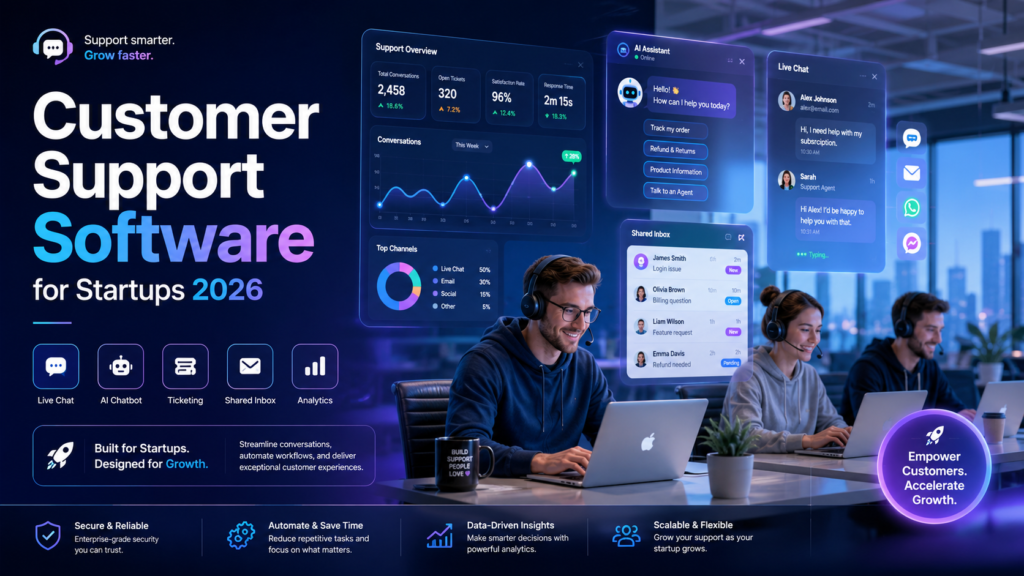
You are drowning in a sea of shared logins. It starts innocently enough with an info@ or support@ alias wired directly into a standard Google Workspace account. Then your early-stage team grows to three people, then five, and suddenly you are tripping over each other. Two founders are answering the exact same customer email at the same time, giving completely conflicting answers, while a high-value bug report from an enterprise pilot slips entirely through the cracks.
In my experience, this structural bottleneck is the hidden killer of early-stage momentum. Customer retention is the ultimate driver of long-term unit economics, yet founders routinely delay implementing a structured customer service ticketing system until their support queue is an absolute disaster. Choosing the right customer support software for startups isn’t just about clearing out a messy inbox; it is a vital growth choice that directly affects your churn rate, your team’s sanity, and your ability to scale operations efficiently.
In this deep-dive guide, we will break down the best customer support software for startups available in 2026. We will look past the marketing gloss to evaluate true cost, hidden scaling taxes, channel architectures, and how to pick an affordable help desk software that grows alongside your user base without draining your runway.
Why Your Choice of Support Infrastructure Dictates Your Startup’s Growth Velocity
What most people don’t realize is that early-stage support operations are entirely different from established enterprise workflows. An enterprise needs rigid, audited workflows, complex tier routing, and deeply segmented permission controls. A startup needs raw speed, complete customer visibility, cross-functional collaboration, and low administrative overhead.
When you select startup customer service software, you are laying down the communication pipelines for your product management and engineering teams. In the early days, customer feedback is your absolute highest value asset. If that feedback is buried inside individual employee inboxes or isolated Slack channels, your product iteration cycle grinds to a halt.
The Core Technical Architectures of Startup Customer Service Software
Before looking at specific tools, it is vital to understand the structural categories available on the market. Selecting the wrong architecture for your business model can force you into a painful, disruptive software migration within twelve months.
1. The Collaborative Shared Inbox
This setup looks and feels like a standard email client but is supercharged for teams. It focuses on transparency, collision detection (so two people don’t reply to the same email at the same time), and internal commenting. It is ideal for pre-seed teams that want zero training overhead and prefer treating support like a shared task.
2. The Traditional Ticketing Help Desk
This approach converts every incoming conversation into a unique tracking ID with formal statuses (New, Open, Pending, Solved). It uses strict service level agreements (SLAs), custom tags, macro templates, and deep reporting dashboards. This architecture is necessary once your conversation volume scales past a few dozen threads per day.
3. The Live Chat and Conversational Portal
This structure moves the primary support interface directly into your web app or mobile product. It uses contextual messenger bubbles, automated triggers, and integrated self-service knowledge centers. It is the gold standard for high-touch SaaS companies and product-led growth (PLG) models.
4. The Slack-First and Account-Centric Engine
A newer shift in B2B tech involves managing customer relationships entirely within dedicated communication channels like Slack Connect or Microsoft Teams. These platforms ingest conversational channels and treat whole company groups as the ticket source, providing a 360-degree view of entire enterprise accounts instead of disjointed individual messages.
The Definitive Customer Support Software Comparison 2026
To help you skip the exhaustive review cycles, let’s look at the primary contenders dominating the market, analyzing where they excel, where they break down, and how they stack up financially.
An effective support center unifies your pipelines so your agents can view metrics, performance targets, and satisfaction ratings instantly in one clean view.
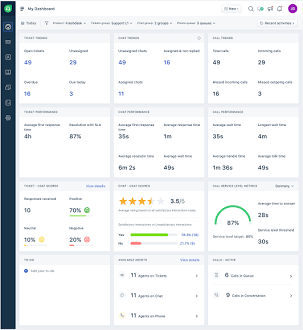
Omnichannel Support Dashboard View. Source: Freshdesk
Help Scout: The Gold Standard for Shared Inbox Simplicity
After working with dozens of small teams, I frequently recommend Help Scout to early-stage startups that want to keep their customer interactions feeling warm and human. It strips away the sterile, corporate “ticket number” aesthetic and replaces it with a clean, conversational interface that looks exactly like a personal email to the end user.
- Best For: Seed-stage startups, content-driven small businesses, and teams switching from a basic Gmail alias.
- Standout Strengths: Built-in collision detection, light but powerful automation macros, self-service docs center (“Docs”), and an embeddable widget (“Beacon”) for real-time customer communication.
- The Big Downside: If your team requires complex multi-tier routing, heavy IT service management integrations, or granular data-access control between teams, Help Scout’s simplicity will quickly start to feel restrictive.
- Pricing Reality: Plans begin around $22 per user per month when billed annually. It scales linearly, meaning your costs only climb as your headcount grows, without unexpected volume charges.
See here……….TH13 Best Home CoC Base
Intercom: The Premium Conversational Powerhouse
If you run a product-led SaaS startup where the core goal is interacting with users while they are actively inside your application, Intercom is an absolute powerhouse. It treats support as an active conversation, combining live chat software for startups with proactive messaging triggers and automated triage workflows.
- Best For: High-velocity SaaS companies, web applications, and teams with strong financial backing prioritizing in-app engagement.
- Standout Strengths: Exceptionally deep in-app messaging capabilities, event-driven triggers based on user behavior, robust multi-channel syncing, and highly sophisticated AI customer support software infrastructure that handles front-line inquiries automatically.
- The Big Downside: The pricing model can surprise you. While they offer competitive introductory tiers for early startups, your monthly invoice can skyrocket quickly once you scale your monthly active users or increase your automated conversation volume.
- Pricing Reality: Entry plans start around $29 per seat per month, but the true total cost depends heavily on add-ons and your actual volume of customer interactions.
Freshdesk: The Flexible, Scalable All-Rounder
Freshdesk by Freshworks is a rock-solid, traditional customer service ticketing system that fits neatly into almost any business model. It is highly structured, easy to implement without technical help, and features one of the most generous free support software entry tiers available on the market today.
- Best For: Bootstrapped startups, multi-channel e-commerce stores, and small businesses needing structured ticket tracking on a tight budget.
- Standout Strengths: Deep multi-channel integration (email, chat, phone, and social), automated ticket allocation mechanics, comprehensive SLA management, and a robust free customer support software tier that accommodates up to 10 agents.
- The Big Downside: The standard UI can feel a bit dated and corporate compared to modern chat-centric setups. Setting up advanced automation logic can also require a bit of configuration effort.
- Pricing Reality: Free plan available for up to 10 users. Paid tiers scale up from $15 per agent per month when billed annually, making it a very affordable help desk software option.
Hiver: Support Inside Your Existing Google Workspace
Hiver takes a completely unique approach by embedding your shared inbox software for startups directly inside your existing Gmail interface. Your team does not need to learn a single new piece of software; they simply manage support tickets from their regular email window.
- Best For: Lean operations already deeply integrated into the Google Workspace ecosystem who refuse to adopt another external platform.
- Standout Strengths: Zero training time required for new hires, direct email delegation capabilities, shared tags, and internal notes that sit right alongside email threads to eliminate internal forward loops.
- The Big Downside: You are entirely bound to Gmail’s native constraints. If your customer communication strategy moves heavily toward web chat, WhatsApp, or mobile app integrations, Hiver will feel like an awkward fit.
- Pricing Reality: Plans scale up from approximately $15 to $19 per user per month when billed annually, representing a highly accessible entry cost for small operations.
HubSpot Service Hub: The Unified CRM Powerhouse
If your startup is already leveraging HubSpot for inbound marketing pipelines or pipeline sales management, using Service Hub is an obvious strategic choice. It unifies your CRM and customer support software needs under a single operational roof, giving everyone from sales reps to support agents access to the exact same customer timeline.
- Best For: B2B startups with complex, high-touch sales cycles where keeping support data aligned with sales pipelines is critical.
- Standout Strengths: Flawless cross-department customer context, advanced pipeline reporting, integrated customer health scoring metrics, and deep automated customer service software capabilities that tie back into marketing automation.
- The Big Downside: If you are not using HubSpot’s primary CRM ecosystem, buying Service Hub as an isolated tool is incredibly expensive and overly engineered for simple support needs.
- Pricing Reality: Basic starter tiers are highly affordable (starting around $9 to $15 per user), but upgrading to Professional or Enterprise tiers to unlock advanced routing and automation requires a serious financial investment.
Zendesk for Startups: The Ultimate Enterprise-Grade Platform
Zendesk remains an industry heavyweight for a reason. It is a massive, highly customizable omnichannel customer support platform capable of handling intense scaling challenges. They offer a highly popular credits program that grants qualified early-stage startups free access for their first six months.
- Best For: Venture-backed startups on a high-growth trajectory that expect to build massive, global customer operations quickly.
- Standout Strengths: Unrivaled customization potential, extensive app marketplace connections, highly granular analytics engines, and robust security posture.
- The Big Downside: The interface is complex, creating a noticeable learning curve for small teams. Once your initial startup credits expire, your baseline software costs can scale up aggressively.
- Pricing Reality: Standard entry pricing begins at $19 per agent per month when billed annually, but fully unlocked suites quickly jump up to $55+ per user per month.
See here……..Free Disposable Email Address for One-Time Use in 2026
Startup Customer Support Software Comparison Matrix
To give you a clear bird’s-eye view, this table outlines how these platforms match up across core buying criteria.
| Software Platform | Best Strategic Fit | Starting Price Point | Key Architectural Channel | Startup-Friendly Advantage |
| Help Scout | Warm, human team collaboration | $22 / agent / month | Email & Web Widget | Zero complex configuration needed |
| Intercom | Modern, conversational SaaS apps | $29 / agent / month | In-App Live Chat | Deep automated triage features |
| Freshdesk | Structured multi-channel support | Free up to 10 agents | Email, Chat, & Phone | Most accessible path to scale |
| Hiver | Google Workspace native teams | $15 / user / month | Gmail Interface Integration | Completely eliminates new tool training |
| HubSpot Service Hub | Teams requiring deep CRM data lock | $9 / seat / month | Email & CRM Timelines | Perfect view of sales and support records |
| Zendesk | Rapidly scaling, venture-backed tech | $19 / agent / month | True Omnichannel Suite | Exceptional customization options |
Step-by-Step Implementation Framework: Deploying Your Software Without Friction
Moving away from an informal email alias or a messy Slack room into a dedicated help desk software for startups does not have to be a technical headache. Follow this structured roadmap to ensure a seamless transition for both your team and your customer base.
Phase 1: Establish Your Baseline Support Architecture
Before opening a single configuration panel, catalog exactly where your incoming support inquiries originate. If 80% of your user base consists of enterprise accounts talking to you via Slack Connect channels, a traditional email-only ticketing help desk will fail immediately. Pick your platform based on where your users already spend their time, not where it is easiest for you to reply.
Phase 2: Design a Clean, Scalable Tagging Nomenclature
Keep your initial ticket organization categories broad. Create no more than 5 to 7 parent tags to track major functional buckets:
- bug-product (System-level engineering errors)
- billing-account (Invoices, subscriptions, downgrades)
- feature-request (Product feedback and expansion ideas)
- user-education (How-to inquiries easily solved with documentation)
- onboarding-friction (Setup issues blocking early adoption)
Phase 3: Construct a Basic Front-Line Knowledge Base
Analyze your last 200 incoming customer conversations to isolate the top three recurring questions. Write simple, clear, publicly accessible text articles detailing the answers. Code these directly into your help desk’s self-service center. Empowering your users to answer their own standard inquiries instantly reduces your inbound ticket volume by up to 30%, keeping your team focused on deep technical issues.
Phase 4: Configure Basic Automation Triggers and SLA Reminders
Set up basic workflow recipes to take manual work off your plate. Program your system to send a friendly, immediate automated acknowledgement email verifying ticket receipt. Configure your dashboard to highlight any customer ticket that goes unanswered for more than 4 business hours, ensuring critical issues never slip through the cracks during busy product release windows.
The 5 Costly Mistakes Startups Make When Implementing Help Desks
Over years of auditing startup workflows, I have seen founders make the same structural errors repeatedly. Avoid these operational traps to keep your customer support tools for small businesses working efficiently.
1. Falling Into the Per-User Seat Tax Trap
Many SaaS tools seem incredibly affordable when you have a team of two. However, once you add engineering, product management, and operations teams into the platform to collaborate on tickets, your monthly software costs can spiral out of control. Look closely at your chosen vendor’s mid-tier pricing scales before committing your data to their platform.
2. Over-Automating the Human Aspect Too Early
It can be tempting to deploy aggressive deflection workflows and rigid automated flows right out of the gate. Do not do this. At the early stage of a startup, your goal is to build deep relationships with your early adopters and listen closely to their frustrations. Hiding behind an unhelpful chatbot wall destroys user trust and blocks you from collecting critical product insights.
3. Treating Customer Support as an Isolated Silo
Your support engineers are the eyes and ears of your development team. If a critical bug is reported in your ticketing system but your engineering team operates exclusively inside GitHub or Linear, the issue gets lost. Ensure your customer service infrastructure integrates directly with your engineering project management stack via native webhooks or Zapier connections.
4. Failing to Secure Private Internal Comments
When multiple team members collaborate on a complex customer issue, they often need to hash out technical workarounds internally. A common horror story involves an agent accidentally typing an internal note into the public reply field, exposing messy backend debates directly to the customer. Train your team thoroughly on the difference between internal notes and public replies.
5. Ignoring Data Privacy and Compliance Controls
Even at the seed stage, you are legally responsible for safeguarding customer data. If users regularly paste raw logs containing personally identifiable information (PII) or API keys into your support chats, your help desk becomes a compliance risk. Select a customer support platform that offers built-in data redaction features and secure, encrypted attachment handling.
Real-World Strategic Scenario: Selecting Infrastructure Based on Business Model
Let’s look at two hypothetical startup scenarios to see how business realities dictate software choices.
Scenario A: The High-Velocity Consumer E-Commerce App
Imagine a team launching a rapid-delivery direct-to-consumer brand. Their daily ticket volume hits hundreds of short, transactional inquiries regarding order modifications, shipping delays, and refund tracking.
In this scenario, a high-touch B2B tool like HubSpot or a collaborative inbox tool like Hiver would be inefficient. They need Freshdesk or an e-commerce specialist help desk like Gorgias. They require deep automation rules to instantly pull tracking numbers from Shopify, combined with an omnichannel customer support platform that fields incoming requests from Instagram DMs, WhatsApp, and email into one unified queue.
Scenario B: The Enterprise B2B SaaS Platform
Now consider a startup building deep infrastructure software for enterprise engineering teams. They only close two or three new accounts a month, but each contract is worth $50,000 annually. Their support requests are highly complex technical questions handled directly by their founding developers over shared Slack channels.
For this team, standard live chat bubbles or traditional corporate ticket queues feel frustratingly transactional to an enterprise client. They need an account-centric support solution like Pylon or Plain. They need a platform that connects directly to Slack Connect, tracking entire conversational channels as comprehensive ongoing accounts rather than individual isolated tickets, ensuring their engineering team maintains maximum context.
Frequently Asked Questions
When exactly should a startup transition from a regular email inbox to a dedicated help desk?
You should make the switch the moment you hire your third team member or when your incoming conversation volume crosses 15-20 distinct customer interactions per day. Continuing past this point using basic email aliases inevitably leads to missed messages, duplicate responses, and broken customer experiences.
Can we build an effective customer support setup using entirely free customer support software?
Yes, absolutely. Platforms like Freshdesk offer robust free tiers supporting up to 10 active agents, which easily covers basic email ticketing and tracking needs for your first year of operations. Use these free tiers to keep your runway clear until your ticket volume or team size demands advanced integration upgrades.
What is the practical difference between a shared inbox tool and a formal ticketing system?
A shared inbox tool looks and operates like a normal email app, focusing heavily on basic visibility and team communication without changing the customer’s experience. A formal ticketing system converts emails into structured database items with unique tracking numbers, automated workflow paths, and strict response deadlines.
How do we prevent our software costs from skyrocketing as our startup grows?
Pay close attention to user tier boundaries and data volume limits before integrating a tool into your product workflows. Opt for platforms that charge steady, linear per-agent seat prices rather than tools that penalize growth by charging fluctuating fees based on your total customer count or active chat volumes.
Should our product developers and founders handle frontline support tickets?
Yes, in the early stages, absolutely. Having your engineering team and founders spend a few hours a week interacting directly with users keeps everyone grounded in real-world user frustrations. It drastically speeds up your product debugging process and ensures your early roadmap directly solves actual user pain points.
Is live chat software necessary for a new startup, or is email support sufficient?
Email support is completely fine for early-stage B2B operations or setups where asynchronous communication is expected. Live chat is highly valuable for high-growth consumer apps or complex SaaS products where answering a quick onboarding question in real time prevents a user from dropping off and abandoning your app completely.
Actionable Takeaways: Your Execution Plan
Selecting your customer support software for startups isn’t about chasing the flashiest feature checklist on the market. It is about choosing a tool that perfectly matches your team’s day-to-day work habits and keeps your runway open for true product development.
If you are a lean, bootstrapped team focused on email simplicity, launch with a clean tool like Help Scout or leverage a free tier like Freshdesk. If you are scaling a fast-moving SaaS app where in-app engagement dictates retention, invest early in a conversation engine like Intercom. Set up clean, clear tagging rules from day one, integrate your help desk directly into your engineering loops, and use the incoming data from your support queue to build a better product that naturally resolves customer issues before they ever need to open a ticket.
Entity Summary
This guide is connected to these core concepts: customer, support, software, startups, 2026, mixed.
| Search intent | practical research and next-step planning |
|---|---|
| Best next step | Compare the options, review the related guides, and verify important claims with official or qualified sources. |
| Freshness check | Recheck this topic when prices, provider terms, eligibility rules, laws, or platform features change. |
Common Questions
What should readers check before using information about Customer support software for startups?
Readers should compare requirements, costs, risks, eligibility, and provider terms, then verify important details with official sources or qualified professionals before making a decision.
How does Bdtechsupport make this guide useful for search and AI answers?
The guide is structured with a direct answer, clear next steps, related internal resources, and references to trustworthy sources where verification matters.
How often should Customer support software for startups information be reviewed?
High-impact topics should be reviewed when prices, laws, eligibility rules, provider terms, or official guidance changes, and the visible updated date should reflect meaningful edits.