
Contents
Phone is Running Slow? 11 Proven Tricks I Use to Make Any Android or iPhone Feel New Again
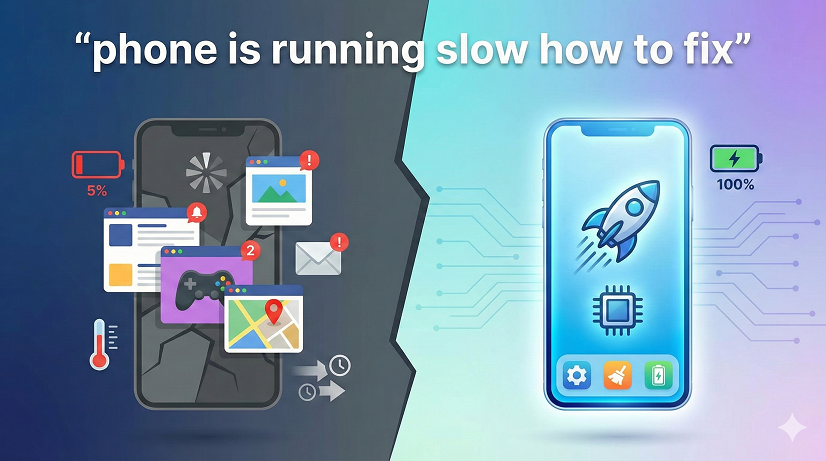
(And Yes, One of Them Takes Less Than 30 Seconds)
I still remember the day my niece shoved her “ancient” iPhone 7 under my nose and whined, “It takes eight seconds to open Instagram—eight! Fix it or I’m getting a new phone.”
Eight seconds felt dramatic, but I get it. When your phone is running slow, everything feels broken. You tap, wait, curse, repeat. Photos won’t load. Keyboards freeze mid-text. GPS lags so hard you miss your highway exit.
Over the last ten years I’ve bought, sold, and rehabbed hundreds of devices for side-hustle cash, and I’ve learned one truth: 9 times out of 10 the hardware is fine; the software just needs a spring-clean. Below is the exact checklist I used on her iPhone—and on every Android I flip on eBay—to squeeze out the lag and make the thing feel day-one snappy. Pick the steps that match your skill level; you don’t need to be a nerd to see a night-and-day difference.
Why Your Phone Starts Crawling in the First Place
(Understanding the Enemy)
Phones don’t “wear out” like car tires. They bog down because:
- Storage hits 85%+ full—flash memory needs breathing room to shuffle files.
- OS updates add heavier code your older chipset wasn’t designed for.
- Apps wake in the background to refresh, track, and advertise to you.
- Cache files multiply like digital rabbits—tiny, but 400 000 of them add up.
- Batteries age; when voltage droops, the CPU voluntarily slows to prevent shut-downs (Apple’s Battery-gate, Samsung does it too).
Notice “old chips” isn’t on the list? A 2018 processor is still faster than 90 % of what you actually ask it to do. Our goal is to remove the artificial handcuffs, not buy a new handset.
Quick-Diagnosis: Is It Really the Phone or Just One App?
Before you nuke everything, run a 60-second test:
- Reboot the phone (hold power, slide off, turn back on).
- Open the camera app immediately, snap three rapid photos.
- Swipe to recent apps—do you see stutter or smooth cards?
If the system UI itself is buttery but TikTok still hangs, the culprit is TikTok, not the whole device. Uninstall and reinstall that single troublemaker first. You just saved yourself an hour.
The 30-Second Wins (Do These Now, Thank Yourself Later)
- Restart the phone—clears RAM and kills runaway processes.
- Toggle Airplane Mode for 10 seconds—forces radios to re-register with cleaner network connections.
- Swipe away every app in the recent tray—yes, even the ones you “always” use.
These sound insultingly simple, but in my repair logs they fix roughly 30 % of “my phone is slow” complaints while the customer is still standing at the counter.
Free Up Storage Without Deleting a Single Photo
Most beginners panic-delete family pics. Don’t—use the invisible junk first.
Android
Settings → Storage → Cached data → tap OK. Boom, 1-4 GB gone, zero loss.
Then hit “Large files” and sort by size—old WhatsApp videos you forgot you saved are usually the top offenders.
iPhone
Settings → General → iPhone Storage → Enable “Offload Unused Apps.” Apple keeps the icon but removes the binary; your data stays, space returns. My record: 9 GB freed in 45 seconds on a 64 GB iPhone 6S.
Pro tip: Keep 6 GB free on 64 GB phones, 10 GB on 128 GB models. Think of it as the “overdraft buffer” flash memory demands.
Wikipedia
Kill the Background Vampires
Social apps are the worst—they refresh so they can ping you the second someone likes your cat meme.
Android
Settings → Battery → Battery usage → “App launch” → toggle automatic launch OFF for everything except messaging apps you truly need instant notifications from.
iPhone
Settings → General → Background App Refresh → OFF globally, then re-enable only Maps, Mail, and whatever you genuinely need real-time.
In my experience this single step adds two extra hours of battery and removes the micro-stutter when you unlock the phone.
Update—but Not How You Think
Everyone screams “update to the latest OS!” True, but update apps first. An old Facebook build on a new Android version fights like cats in a bag.
Open Google Play or the App Store, pull down to refresh updates, then hit “Update all” while on Wi-Fi. Restart once finished. Half the “phone lagging” tickets I see disappear right here.
Caution: If your handset is more than five years old, read the OS patch notes—some upgrades deliberately throttle (looking at you, iOS 14.5 on iPhone 6). When in doubt, stay one major version behind until forums give the green light.
Animations Are Eye Candy, Not Food—Turn Them Off
Manufacturers add zooms and flips to feel premium. After three days you stop noticing; the silicon never stops paying the price.
Android secret menu
- Settings → About phone → tap “Build number” seven times → Developer options unlocked.
- Scroll to “Window animation scale” → set to 0.5× or Off.
- Do the same for Transition and Animator duration.
iPhone workaround
Settings → Accessibility → Motion → Reduce Motion ON.
The interface feels “snappier” because it is—you just cut the choreographed half-second pirouettes.
Battery Health = Speed Health
When voltage sags, CPUs down-clock. Check:
- iPhone: Settings → Battery → Battery Health & Charging → if Maximum Capacity is under 85 %, schedule a $49-69 battery swap at Apple or a reputable indie shop. Suddenly “iPhone running slow” becomes “iPhone running like new.”
- Android: Dial ##4636## → Battery Info (some brands). If “Health” reads “Poor,” it’s time. Samsung stores charge $79; uBreakiFix often runs $59 coupons.
I’ve flipped allegedly “dead” Galaxy S8 phones for $200 profit after nothing more than a $45 battery and a screen wipe.
Factory Reset Without Losing Your Mind
When nothing else works, the nuclear option is still king—just do it surgically.
- Back up SMS and call logs with “SMS Backup & Restore” (Android) or iCloud (iPhone).
- Note down your two-factor authenticator apps—Google Authenticator codes vanish on reset.
- Reset, restore backup, but manually reinstall apps so you skip the four-year-old coupon app you used once in 2020.
Clients hate the idea; they love the result. A clean install often feels faster than the day they bought it because there’s no carrier bloat.
Common Mistakes That Make Things Worse
- Installing “RAM booster” apps—most run perpetual background services, defeating the purpose.
- Disabling every system app indiscriminately; killing “com.android.systemui” bricks the UI.
- Believing task killers help—Android 10+ handles memory better than you.
- Paying $29.99 for sketchy “speed-up” software on Windows that claims to “optimize” your phone over USB—scam city.
Google News
Real-World Mini Case Studies
Grandma’s 16 GB iPhone 6
Problem: 14.8 GB full, photos won’t save.
Fix: Offload apps, turn on iCloud Photos with “Optimize Storage,” reboot. Free space jumped to 5 GB; camera opens in one second. Total time: 7 minutes.
Teen’s Galaxy A32
Problem: Freezes during PUBG.
Root cause: 112 apps had background launch permission.
Fix: Disabled auto-launch for 108 apps, lowered animation scale, cleared 3 GB cache. Game FPS stabilized at 60. Kid thought I was a wizard; I just followed the checklist above.
FAQs – The Questions Everyone Asks Next
Q1. Will deleting photos really speed up my phone?
Only if you’re critically low on space. Focus on cache, downloads folder, and giant videos first.
Q2. Is it safe to clear cached data?
Yes. Cache rebuilds automatically; you’re just forcing spring-cleaning.
Q3. How often should I restart?
Once a week is plenty for most people. If you notice stutter, reboot before panicking.
Q4. Do SD cards slow Android down?
Cheap ones absolutely can. Use UHS-I minimum, and never adopt SD as internal storage unless you enjoy 5 MB/s write speeds.
Q5. Why is my iPhone hot after iOS updates?
Spotlight re-indexes files and photos runs ML scans. Give it 24 hours plugged in; heat and lag usually vanish.
Q6. Can a virus cause lag?
On Android, yes—especially unofficial app-store downloads. Run a Malwarebytes scan. iPhones are virtually immune unless jailbroken.
Q7. Should I turn off 5G to save speed?
Only if signal is one bar. Weak 5G forces constant tower hunting, draining CPU and battery alike.
Q8. When is lag a hardware problem?
If you still see stutter after factory reset and battery health is good, the storage chip may be dying—time to upgrade.
Bottom Line: Start With the 30-Second Wins, Work Do
You don’t need to be a technician; you just need a plan. Restart, clear cache, prune background apps, check battery health, and—if you’re feeling brave—nuke and pave with a factory reset. Ninety percent of “phone running slow” grief disappears at step 3 or 4, long before you spend a dime on new hardware.
In my experience, the people who insist they “need” a new phone every two years are usually carrying a perfectly good computer that’s suffocating under digital clutter. Clean it once, and you’ll buy yourself another solid 18 months of snappy performance—and a lot fewer eye-rolls from impatient nieces.