
Contents
At a Glance
- Topic: Construction management software cost
- Intent: comparison and decision research
- Verify: Use this as a practical starting point, then verify important details with current authoritative sources.
- Related entities: construction, management, software, cost, 2026
Last updated: August 24, 2026
Best for: Best for readers comparing options, prices, eligibility, risks, and provider questions before making a decision.
Editorial note: This guide may use AI-assisted drafting, but it is organized and reviewed by the Bdtechsupport editorial workflow for clarity, search intent, and practical usefulness.
Construction Management Software Cost in 2026: What You Will Really Pay
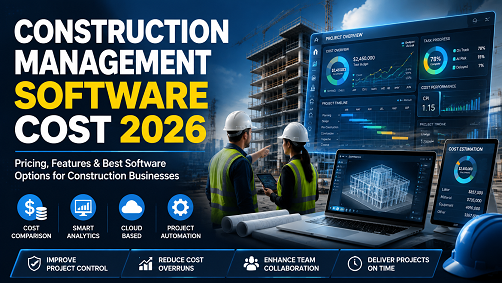
If you run a construction business, you already know the sinking feeling of watching profit margins shrink because of a delayed schedule, a miscalculated takeoff, or a missing change order. We’ve all been there. You’re managing chaos across multiple job sites, and eventually, you hit a breaking point where whiteboards, spreadsheets, and endless group texts just don’t cut it anymore.
That’s usually the exact moment you start looking into construction software. But then you hit a wall: trying to figure out the actual construction management software cost in 2026 can feel like pulling teeth.
In my experience, software vendors love to bury their pricing behind a “Request a Demo” button. They want to get you on a sales call before giving you a straight answer. But what most people don’t realize is that the market has shifted significantly over the last few years. The pricing models have changed, cloud-based tools have become the standard, and there are now solutions tailored for everyone from a two-person remodeling crew to a massive commercial general contractor.
After working with various contractors to overhaul their tech stacks, I put together this guide to break down exactly what you can expect to pay this year. We’re going to look at the real numbers, from affordable construction management software for small businesses to the heavyweight construction ERP software pricing.
The Average Cost of Construction Software in 2026
Let’s cut right to the chase. How much is this going to cost you?
The short answer is that construction project management software pricing in 2026 typically ranges from $50 per month for basic, entry-level tools to over $2,000 per month for comprehensive, enterprise-level platforms. For most growing mid-sized contractors, the sweet spot usually lands somewhere between $150 and $800 per month.
But to really understand your construction software subscription cost, you have to look at how these companies charge. The industry generally relies on three main pricing models:
1. Per-User Pricing: You pay a flat monthly or annual fee for every person on your team who needs an account. In 2026, this usually ranges from $35 to $150 per user, per month. It’s predictable, but it can get expensive quickly if you have a large crew. 2. Tiered Feature Pricing: You pay a flat monthly fee (often with unlimited users) but the price depends on the features you need. Basic tiers might be $399 a month, while advanced tiers with heavy financial tools can push past $1,000 a month. 3. Construction Volume (ACV) Pricing: The enterprise giants charge based on your Annual Construction Volume. The more money your projects generate, the more you pay. This allows for unlimited users (including subcontractors and architects), but the annual contract minimums are steep.
Breaking Down the Big Players: Procore, Buildertrend, and Autodesk
If you are doing a construction software comparison 2026 style, you are inevitably going to run into the big three. Let’s look at what these heavy hitters actually cost today.
Procore Pricing 2026
Procore is the undeniable heavyweight champion of the construction software world. It’s built for large general contractors, specialty contractors, and owners managing massive commercial builds.
Procore doesn’t charge by the user. Instead, they use the Annual Construction Volume (ACV) model. This means you buy into the platform on an annual contract based on the total dollar value of the work you manage.
In 2026, Procore pricing generally starts at around $10,000 per year for their base package. I’ve seen mid-to-large GCs paying anywhere from $25,000 to over $100,000 annually once they add in financial management modules, quality & safety tools, and project management cores. The massive upside here is that you can invite an unlimited number of subcontractors, architects, and owners into the platform without paying extra license fees. The downside? It is a massive upfront investment that small businesses simply cannot justify.
Buildertrend Cost
Buildertrend has dominated the residential home building and remodeling space for years. It’s a fantastic cloud-based construction software, but their pricing has steadily crept up over the past few iterations.
Currently, Buildertrend structures its cost into three distinct tiers:
- Essential Tier: Roughly $399 to $499 per month. This covers your basic scheduling, daily logs, document storage, and simple CRM tools.
- Advanced Tier: Around $699 to $799 per month. This is where most mid-sized contractors land, as it unlocks crucial financial tools like detailed estimating, change orders, and budget tracking.
- Complete Tier: $999 to $1,099 per month. This includes everything, plus client selection features, warranty management, and advanced RFI routing.
Pro tip: Buildertrend almost always offers a significant discount (sometimes shaving off a few hundred dollars a month) if you commit to paying annually instead of month-to-month.
See here………….Free Disposable Email Address for One-Time Use in 2026
Autodesk Construction Cloud Pricing
Autodesk has consolidated its offerings (like PlanGrid and BIM 360) into the Autodesk Construction Cloud. Their pricing is heavily modular and is usually billed annually per user.
For 2026, here is how the modules break down:
- Autodesk Docs: Starting around $500 per user, per year. This is basically just for document management and a common data environment.
- BIM Collaborate: Around $705 per user, per year. Great for design coordination.
- Autodesk Takeoff: About $1,250 per user, per year. Essential if you need robust 2D and 3D quantity takeoffs.
- Autodesk Build: Starting at $1,625 per user, per year. This is the comprehensive project management and field collaboration suite.
Autodesk is incredibly powerful for teams heavily reliant on CAD and BIM models, but you have to watch your user counts carefully.
Small Business Construction Software: Finding the Affordable Options
Not every contractor is building high-rises or managing $50 million in annual volume. If you run a local roofing company, a landscaping business, or a small custom home building crew, paying a grand a month is out of the question.
Luckily, there is a thriving market for small business construction software that won’t bankrupt you.
Jobber and Housecall Pro While technically field service management tools, these are incredibly popular for specialty contractors. They handle scheduling, quoting, and invoicing brilliantly. You can usually get a solid plan for $100 to $200 a month, depending on your user count.
Contractor Foreman If you want the best construction management software 2026 has to offer for a tight budget, Contractor Foreman is a top contender. They offer a flat-rate pricing model that is notoriously affordable. Their basic plans start under $50 a month, and even their highest, unlimited-feature tiers rarely exceed $150 a month. It’s a bit clunky visually compared to Buildertrend, but the feature set is massive for the price.
Free Construction Management Software Does free construction management software actually exist? Yes, but with massive caveats. Platforms like Fieldwire offer a basic free tier for very small teams (usually capped at 3 projects and 5 users). It’s great for viewing blueprints on an iPad in the field, but it lacks the heavy financial and estimating tools you need to run a business. Free tools are best used as a stepping stone.
Construction Estimating Software Pricing vs. Full ERPs
One common mistake I see contractors make is confusing specialized tools with all-in-one systems.
Standalone Estimating Software If your only bottleneck is doing takeoffs and building bids, you might just need construction estimating software. Tools like STACK or Clear Estimates usually charge between $150 and $250 per user per month. On-premise, old-school software might cost a one-time fee of $1,500 to $3,000, but in 2026, almost everyone is moving to the cloud.
Construction ERP Software Pricing On the other end of the spectrum is the Construction ERP (Enterprise Resource Planning). Systems like CMiC, Viewpoint, or Sage Intacct Construction handle absolutely everything—project management, complex multi-entity accounting, HR, and payroll.
ERP pricing is a completely different beast. You are looking at implementation fees that can easily range from $15,000 to $50,000, plus ongoing user licensing fees that run into the tens of thousands annually. This is strictly for large-scale operations where standard contractor management software cost models don’t apply.
Hidden Fees and Common Mistakes to Avoid
When budgeting for your construction software subscription cost, the sticker price is rarely the final price. After helping dozens of companies migrate their data, I always warn them about these hidden costs:
- Implementation and Onboarding Fees: The best software in the world is useless if your team doesn’t know how to use it. Many mid-tier and enterprise platforms charge a mandatory setup fee. This can range from $500 for a simple setup to $10,000+ for complex integrations.
- Integration Add-ons: Does the software talk to your accounting system? Syncing with QuickBooks Online or Xero is usually included, but if you have a complex setup, you might need to pay for an API connection tool or a third-party integrator.
- Data Storage Limits: Especially with cloud-based construction software cost models, watch out for file storage caps. High-res drone photos and 3D models eat up gigabytes fast. Make sure your tier includes enough storage so you aren’t hit with overage charges.
- The “Seat” Trap: If you choose a per-user pricing model, clarify exactly who constitutes a “user.” If your project owner wants to log in to see progress photos, does that cost you an extra $50 a month?
See here………….TH18 COC Release Date| 5 Shocking Updates You Need to Know
How to Choose the Right Software for Your Budget
Choosing the right software comes down to being brutally honest about your current operations and your team’s tech-savviness.
What most people don’t realize is that buying software won’t fix a broken process. If your estimating is sloppy on paper, it will be sloppy in the cloud. Before you spend a dime:
- Map Your Pain Points: Are you losing money on unbilled change orders? Is field-to-office communication a disaster? Pick a software that solves your biggest daily headache first.
- Appoint an Internal Champion: Software adoption fails when the boss buys it and expects the superintendents to figure it out on their own. Put one person in charge of mastering the system and training the rest of the crew.
- Do the Free Trials (With Real Data): Never buy based on a polished sales pitch. Get a 14-day trial, upload a real blueprint, build a real estimate, and try using the mobile app while standing outside in the sun. If it’s frustrating to use, your field crew will abandon it within a week.
Frequently Asked Questions
How much does construction management software cost on average?
For small to mid-sized businesses, the average cost ranges from $150 to $800 per month. Enterprise platforms for large commercial builders typically start at $10,000 per year and go up based on construction volume.
Is cloud-based construction software cheaper than on-premise?
Generally, yes. Cloud-based software requires no server hardware maintenance, no massive upfront licensing fees, and includes automatic updates. You pay a predictable monthly or annual subscription.
What is the best affordable construction management software for a small business?
Contractor Foreman is widely considered one of the most affordable full-featured options, starting under $50 a month. For service-based contractors, Jobber and Housecall Pro offer excellent value in the $100-$200 range.
Does Procore have a monthly fee?
No, Procore generally does not offer month-to-month pricing. They sell annual contracts based on your Annual Construction Volume (ACV), meaning you pay a lump sum for the year based on the total dollar amount of the projects you are managing.
Why is construction software so expensive?
Construction software handles incredibly complex workflows—combining real-time accounting, job costing, scheduling, field mobility, and heavy document management into one platform. The cost reflects the sheer amount of data processing and industry-specific engineering required to build these tools.
Can I run my construction business just using QuickBooks?
You can do your accounting in QuickBooks, but QB is not project management software. It cannot handle scheduling, daily field logs, submittals, or RFIs. Most contractors use a dedicated construction management tool that integrates seamlessly with QuickBooks for the financial side.
Final Takeaways
Navigating the construction management software cost 2026 landscape doesn’t have to be a shot in the dark. The market has matured, and whether you are looking for an affordable app to keep your field crew organized or a massive enterprise system to track tens of millions in project volume, there is a solution that fits your exact budget.
The biggest takeaway I can offer from my time in the industry is this: don’t view software as an expense; view it as a tool in your toolbelt. Just like you wouldn’t buy cheap, unreliable power tools for a major build, you shouldn’t skimp on the digital infrastructure that holds your entire business together. If a $500-a-month software catches just one missed $2,000 change order, it has already paid for itself four times over. Take the time to request demos, ask hard questions about hidden fees, and choose a platform that will actually scale as your business grows.
Entity Summary
This guide is connected to these core concepts: construction, management, software, cost, 2026, mixed.
| Search intent | comparison and decision research |
|---|---|
| Best next step | Compare the options, review the related guides, and verify important claims with official or qualified sources. |
| Freshness check | Recheck this topic when prices, provider terms, eligibility rules, laws, or platform features change. |
Common Questions
What should readers check before using information about Construction management software cost?
Readers should compare requirements, costs, risks, eligibility, and provider terms, then verify important details with official sources or qualified professionals before making a decision.
How does Bdtechsupport make this guide useful for search and AI answers?
The guide is structured with a direct answer, clear next steps, related internal resources, and references to trustworthy sources where verification matters.
How often should Construction management software cost information be reviewed?
High-impact topics should be reviewed when prices, laws, eligibility rules, provider terms, or official guidance changes, and the visible updated date should reflect meaningful edits.