
Contents
At a Glance
- Topic: Inventory management software cloud based
- Intent: practical research and next-step planning
- Verify: Use this as a practical starting point, then verify important details with current authoritative sources.
- Related entities: inventory, management, software, cloud, based
Last updated: July 18, 2026
Best for: Best for readers who want a clear overview, practical checks, and next steps on this topic.
Editorial note: This guide may use AI-assisted drafting, but it is organized and reviewed by the Bdtechsupport editorial workflow for clarity, search intent, and practical usefulness.
The Ultimate Guide to Cloud-Based Inventory Management Software in 2026 (Plus My Top Picks)
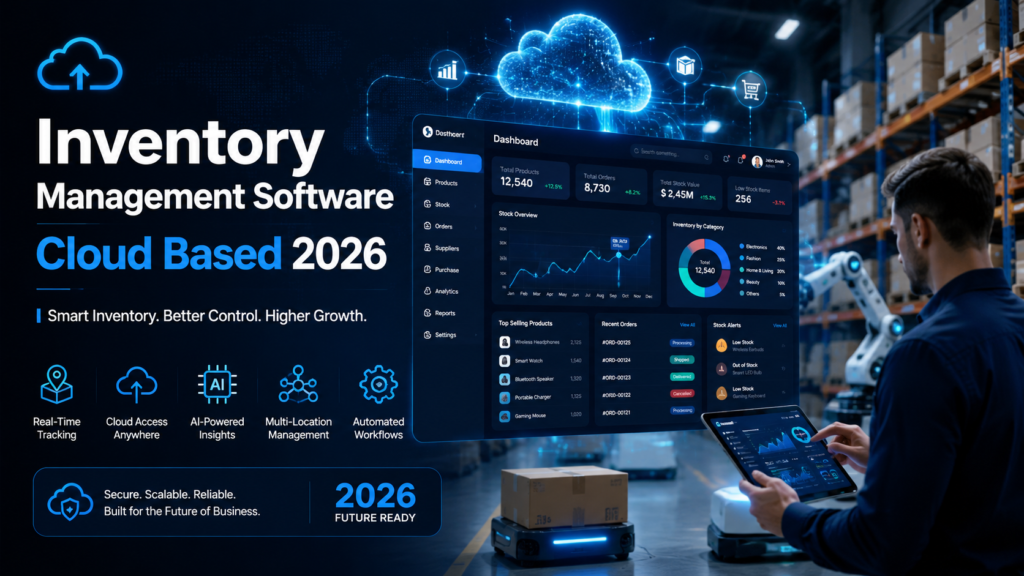
Do you know the exact moment a growing business starts to fracture? It’s not when sales drop. It’s usually on a random Tuesday when someone realizes they just sold twenty units of a product that doesn’t actually exist in the warehouse.
I’ve seen it happen more times than I can count. A company is riding high on a massive marketing push, orders are flooding in, and suddenly, operations hit a brick wall. The spreadsheet failed. The manual counts were wrong. Now, they are facing furious customers, rushed shipping fees, and stressed-out warehouse staff.
If you are running a retail brand, a wholesale operation, or a local e-commerce store, managing stock by hand is a ticking time bomb.
What most people don’t realize is that your inventory isn’t just boxes on a shelf. It’s your cash flow sitting in a physical form. When you lose track of it, you are literally losing money. That’s why making the leap to a cloud based inventory management software is usually the defining line between a business that stays small and one that scales smoothly.
In this guide, I’m going to walk you through exactly what works in 2026. We won’t just look at glossy marketing pages. I’ll share what I’ve learned from implementing these systems on warehouse floors, the hidden costs software vendors don’t want you to know about, and how to choose the right platform without overpaying.
Why You Need to Ditch the Spreadsheet (And What Most People Get Wrong)
When I talk to small business owners, almost all of them confess they are still using Google Sheets or Excel to track their goods. I get it. It’s free, it’s familiar, and when you only have fifty SKUs, it seems to work fine.
But here is the harsh reality. Spreadsheets are static. Your business is dynamic.
The moment you add a second sales channel—say, a Shopify store alongside your physical retail shop—the spreadsheet breaks down. You sell an item in-store at 10:00 AM, but the spreadsheet isn’t updated until 5:00 PM. Meanwhile, someone buys that exact same item online at 1:00 PM. Congratulations, you just created a backorder nightmare.
An online inventory management system solves this by acting as the central brain of your operations. It connects your sales channels, your purchase orders, and your physical shelves into one living ecosystem.
When I help companies transition away from manual methods, the biggest misconception they have is that software will simply digitize their current mess. If you have bad warehouse habits, a fancy new SaaS inventory management software will just execute those bad habits faster. You have to be willing to rethink how you receive, store, and pick your goods.
What Actually Makes the Best Cloud Inventory Management Software in 2026?
The software market is incredibly crowded right now. If you search for solutions, you’ll be bombarded by dozens of vendors claiming to do everything. But after working with countless growing brands, I’ve noticed that the tools that actually deliver share a few specific traits.
1. True Real-Time Synchronization
This is non-negotiable. A real time inventory management system means that the second an order is confirmed on your website, that stock is deducted from your available pool. Not five minutes later. Not when a batch process runs at midnight. Instantly.
If you sell across multiple channels like Amazon, your own website, and wholesale, a delay of even a few minutes can lead to overselling during peak seasons like Black Friday.
2. Multi-Location Capabilities
Even if you only have one warehouse right now, you might have a backroom, a retail floor, or a third-party logistics (3PL) partner. A robust multi location inventory management feature allows you to separate stock by physical location or even by specific bins on a shelf.
I once worked with a retailer who kept losing stock simply because their software lumped the main warehouse and the retail storefront into one big bucket. Employees were tearing the warehouse apart looking for an item that was actually sitting on a display mannequin across town.
3. Scalable Pricing Structures
Here is a dirty secret of the software industry: per-user pricing. You might find an affordable inventory software that looks great at $49 a month. But what happens when you need your warehouse manager, two pickers, a customer service rep, and your accountant to have access? Suddenly, that cheap tool is costing you $400 a month.
When evaluating an inventory tracking software, look closely at how they charge as your team grows, not just as your order volume increases.
4. Smart Forecasting and Purchasing
The days of guessing what to order are over. The best platforms now include built-in analytics that analyze your sales velocity and vendor lead times. Even basic tools are starting to incorporate AI powered inventory software features that automatically suggest reorder points and flag seasonal trends before you run out of stock.
See here………Best TH12 Farming Base Layouts in Clash of Clans (Ultimate Guide 2025)
My Top Cloud-Based Inventory Management Software Picks for 2026
Over the years, I’ve had the chance to get my hands dirty with almost every major platform on the market. Here are the ones I consistently recommend, broken down by who they serve best.
1. Odoo – Best Cloud ERP Inventory Solution for Scaling
If you are planning to grow into a massive operation, Odoo is a beast. What I love about it is the modular approach. You can start with just their inventory app—which is surprisingly free for unlimited users if used standalone—and then bolt on accounting, CRM, and manufacturing as you need them.
In my experience: Odoo is incredibly powerful but demands respect. It uses a double-entry inventory system, meaning every movement is tracked meticulously. It’s fantastic for traceability, but if your team isn’t disciplined about scanning items, it can become overwhelming.
Best for: Companies that know they will eventually need a full cloud ERP inventory solution but want to start with just warehouse control.
2. inFlow Inventory – Best Cloud Inventory Software for Small Business & Wholesale
Whenever a B2B or wholesale client asks me for a recommendation, I almost always point them to inFlow. It has been around for a long time, but their 2026 web and mobile updates have kept them incredibly relevant.
What makes inFlow shine is how it handles the realities of B2B sales. It easily manages customized pricing tiers, barcode scanning right from a smartphone, and purchase order management.
In my experience: Warehouse staff love this tool because the interface isn’t cluttered with accounting jargon. It’s built for people who actually move boxes for a living.
Best for: Distributors and B2B sellers looking for reliable stock management software without paying enterprise prices.
3. Katana – Best for Manufacturing & Makers
If you assemble things, mix things, or build things, most standard retail software will fail you. You need a system that understands raw materials, sub-assemblies, and finished goods.
Katana is built explicitly for this. It offers visual production planning that ties your raw material inventory directly to your sales orders.
In my experience: I consulted for a custom furniture builder who was constantly delaying orders because they had the wood but forgot to order the specific hinges. Katana solved this immediately by allocating raw materials the moment a sales order dropped.
Best for: D2C brands, makers, and anyone needing warehouse inventory management software that handles complex Bills of Materials (BOM).
4. Zoho Inventory – Best for Multi-Channel E-commerce
Zoho is the king of the ecosystem. If you are already using Zoho Books or Zoho CRM, this is a no-brainer. But even as a standalone product, Zoho Inventory is a powerhouse for e-commerce.
It integrates beautifully with Shopify, Amazon, eBay, and major shipping carriers. It automates the entire flow from the customer clicking “buy” to the shipping label printing on your warehouse floor.
In my experience: The automation rules you can set up save countless hours. However, the reporting can feel a bit rigid unless you also use Zoho Analytics.
Best for: Growing online brands that need a highly automated inventory management software to handle high daily order volumes.
5. Sortly – Best Simple Inventory Tracking Software for Mobile
Not every business needs to track complex sales orders. Sometimes, you just need to know what you have in the storage closet, the service van, or the IT server room.
Sortly is a visually driven app that relies heavily on photos and QR codes. You can print a QR label, stick it on a tool bin, and any employee can scan it with their phone to check the item out.
In my experience: It’s practically foolproof. I’ve rolled this out to construction teams and event planners who have zero tech experience, and they adopted it in an hour.
Best for: Internal asset tracking, field service teams, and absolute beginners looking for small business inventory software.
Common Mistakes When Implementing an Online Inventory Management System
Buying the software is only 20% of the battle. The other 80% is how you roll it out. I’ve watched companies drop tens of thousands of dollars on enterprise software only to abandon it six months later. Here is where they go wrong.
Skipping the Physical Audit
You cannot migrate bad data into a new system and expect good results. Before you turn on your new inventory control system, you must physically count everything in your warehouse. Yes, it takes an entire weekend. Yes, it’s exhausting. But if your starting numbers are wrong, the software will never be accurate.
Ignoring Naming Conventions
“Blue Shirt Large” and “L-Shirt-Blue” might mean the same thing to a human, but they are entirely different products to a computer. Before importing your data, clean up your SKU (Stock Keeping Unit) formats. Standardize your naming conventions so your team can actually search for things efficiently.
Trying to Automate Everything on Day One
When you first launch a robust best cloud inventory management software 2026 edition, the temptation is to turn on every feature: automated purchase orders, dynamic reorder points, complex kitting.
Don’t do it.
Start by simply using the software to track what comes in and what goes out. Once your team is comfortable with the daily rhythms of receiving and shipping, then you can slowly introduce the advanced automation.
Step-by-Step: How to Roll Out Your New System Without Destroying Operations
If you want your team to actually use the new tool, you need a methodical implementation plan. Here is the exact playbook I use.
- Map Your Current Workflows: Write down exactly how a product moves from your supplier’s truck to your customer’s hands. Identify where the bottlenecks are.
- Clean Your Data: Export your current spreadsheet. Delete obsolete products. Ensure every item has a unique SKU, cost price, and retail price.
- Configure the Environment: Set up your virtual warehouse locations. Create bins, shelves, and zones in the software that mirror your physical space.
- Train the Floor Staff First: Your warehouse pickers and receivers are the ones who will make or break this system. Train them on the mobile app or barcode scanners before you train the executives on the reporting dashboards.
- Execute a Hard Cutover: Pick a slow day—usually a Sunday. Do a complete physical inventory count. Upload those final numbers into the new system. Come Monday morning, the old spreadsheet is dead. No exceptions.
See here………Why Temporary Email Is Becoming Popular Among Internet Users
The Financial Impact: ROI of an Automated Inventory Management Software
A lot of business owners hesitate at the monthly subscription cost of a premium system. But viewing software purely as an expense is the wrong framing.
Let’s look at the hidden costs of poor inventory management. If you carry 20% more safety stock than you actually need because you don’t trust your data, that is capital tied up in dead weight. It’s cash you can’t use for marketing, hiring, or product development.
Furthermore, consider the labor cost of manual counts. If you are paying two employees for five hours every Friday to physically count stock and update spreadsheets, that’s time wasted. A proper cloud based inventory management software with barcode scanning reduces a weekly count to a routine 30-minute spot check.
In my experience, a well-implemented system usually pays for itself within the first four months simply by reducing over-purchasing and eliminating rushed supplier shipping fees caused by unexpected stockouts.
Frequently Asked Questions (FAQs)
What is the difference between an inventory management system and a WMS (Warehouse Management System)?
An inventory system focuses on what you have and how much it costs. A WMS focuses on where it is and how to move it efficiently. Many modern cloud inventory tools now blur the lines and include basic WMS features like bin locations and pick-and-pack workflows.
Do I need a barcode scanner to use inventory software?
Not necessarily, but it highly recommended. Barcode scanning drastically reduces human error. Most modern software allows you to use a standard smartphone camera as a scanner, so you don’t need to buy expensive dedicated hardware right away.
Can cloud inventory software connect to my accounting platform?
Yes. In fact, this should be a primary requirement. Tools like inFlow, Katana, and Zoho natively integrate with QuickBooks, Xero, or their own accounting modules. This ensures your Cost of Goods Sold (COGS) is always accurate in your financial reports.
How much does cloud inventory software cost for a small business?
It varies widely. Simple apps like Sortly start around $49/month. Mid-market tools like inFlow or Zoho run between $100 and $300/month. Always watch out for per-user fees and tiered order limits that can spike your costs as you grow.
Is my data safe in a cloud-based system?
Reputable SaaS providers use enterprise-grade encryption and host your data on secure servers like AWS or Google Cloud. They are generally much safer than a spreadsheet sitting on a laptop that could crash or be stolen.
Final Thoughts and Your Next Steps
Upgrading to a cloud based inventory management software is a big operational shift. It requires time, patience, and a willingness to change how you work. But the payoff is immense. You gain total visibility over your cash flow, you stop disappointing customers with backorders, and you buy back hours of your own time.
If you are stuck in spreadsheet hell right now, take action this week. Pick two or three of the platforms I mentioned above. Almost all of them offer a 14-day free trial. Upload a small sample of your products and see how the interface feels to you.
The right software shouldn’t feel like a chore to use; it should feel like the operational partner you’ve been missing.
Entity Summary
This guide is connected to these core concepts: inventory, management, software, cloud, based, 2026.
| Search intent | practical research and next-step planning |
|---|---|
| Best next step | Compare the options, review the related guides, and verify important claims with official or qualified sources. |
| Freshness check | Recheck this topic when prices, provider terms, eligibility rules, laws, or platform features change. |
Common Questions
What should readers check before using information about Inventory management software cloud based?
Readers should compare requirements, costs, risks, eligibility, and provider terms, then verify important details with official sources or qualified professionals before making a decision.
How does Bdtechsupport make this guide useful for search and AI answers?
The guide is structured with a direct answer, clear next steps, related internal resources, and references to trustworthy sources where verification matters.
How often should Inventory management software cloud based information be reviewed?
High-impact topics should be reviewed when prices, laws, eligibility rules, provider terms, or official guidance changes, and the visible updated date should reflect meaningful edits.